Facebook Ads for Contractors: Judge the Lead, Not the Cost per Lead
David A · Founder, 1212 Agency
Published November 11, 2026

In our own Facebook lead ads test across five local trades, the cheapest leads were junk. Here is how to read each lead before you add a dollar of budget.
On the second day of a new Facebook campaign, the cheapest leads look like the best news in the account. In our own test, they were the worst.
We ran Facebook lead ads to owners in five local trades, including pool builders, restoration companies and window and door companies, each trade in its own ad set on the same small daily budget. After about two days, pool builders had the lowest cost per lead (CPL, what you pay for each form submitted): 2 leads at $21.77 each. Both were junk. Across the whole test, 3 of the 4 leads looked fake.
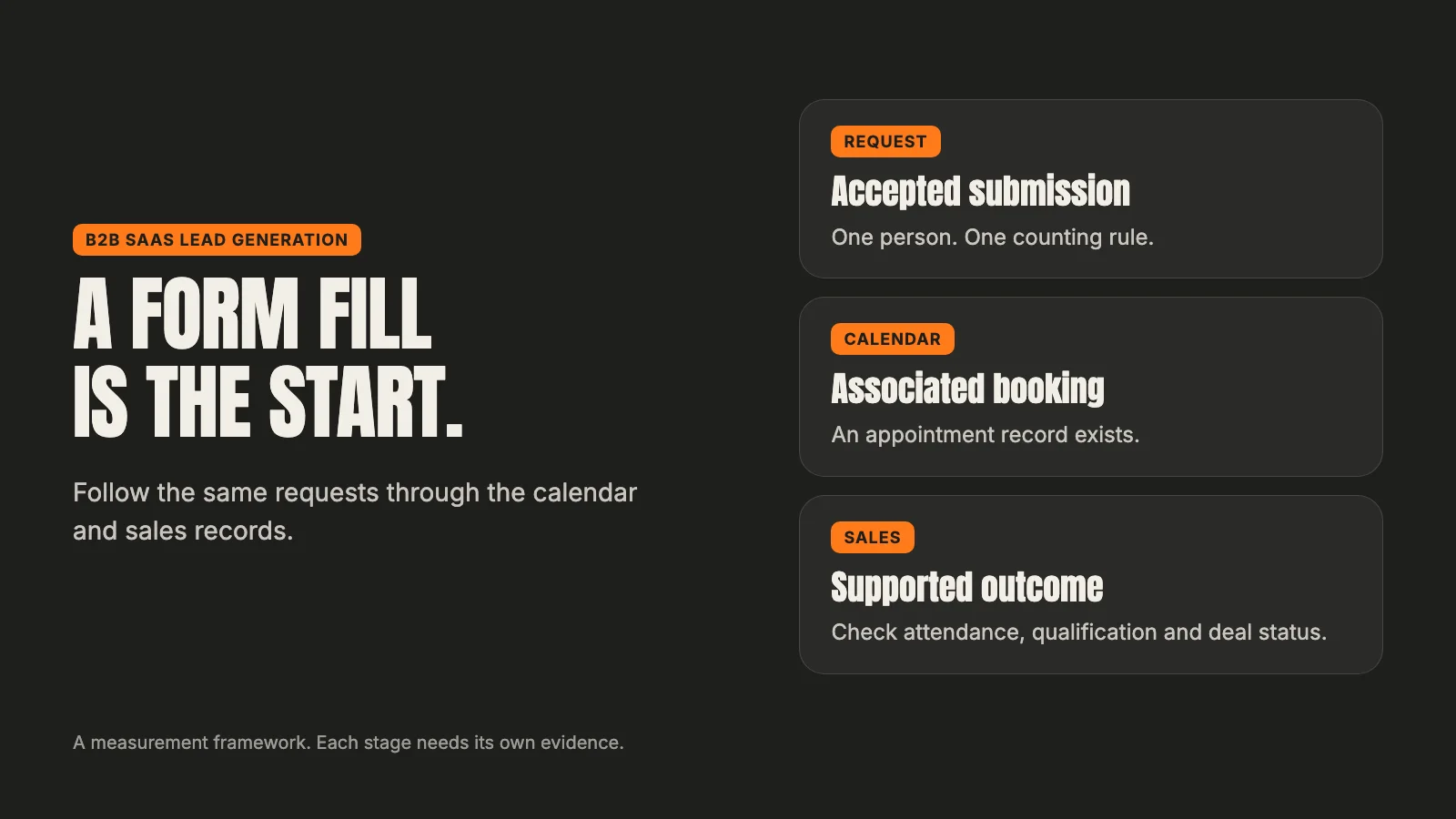
If you run Facebook ads for a contracting business, or you are about to, that is the lesson worth taking before any setup tip. Cost per lead is a price. It does not tell you what you bought. This guide covers what our test showed, how to read a lead in two minutes, and when to add money, hold or stop.
Why contractors try Facebook ads
Google Ads catches demand. Someone searches for a roofer or a pool builder, and you pay to appear when they do. Facebook works the other way round. It shows your ad to people who were not looking for you, based on who Meta thinks will respond.
That is why contractors try it. Search volume in a service area has a ceiling, and the clicks are expensive. Facebook can reach homeowners before they start searching. If you want to see how the two channels compare side by side, our guide to Google Ads vs Facebook ads covers it.
The trade off is intent. A person who searched "pool builder near me" has raised their hand. A person who tapped a form while scrolling at night may not remember doing it. Facebook lead ads make submitting easy, because the form opens inside the app and fills in the person's details for them. Easy to submit also means easy to submit badly.
So with Facebook ads for contractors, the cost of a lead and the quality of a lead come apart more than they do on search. You have to measure both.
Our test: five trades, same budget, meme style ads
This was our own money. We were selling a free ads audit to business owners, not running ads for a client, and we wanted to know which trades would answer a light, meme style ad about the pains of a bad marketing agency.
Each trade got its own ad set, with its own Instant Form (Meta's lead form that opens inside Facebook) and the same daily budget. Each ad set started with five ads, and two more went into each set later the same day. Meta rejected one ad, so most trades ran seven ads and one ran six. The forms asked for contact details and an ad spend range.
Our leads came from business owners rather than homeowners, so the details differ from a typical contractor campaign. The mechanics do not. The same form, the same delivery system and the same temptation to read the cheapest number first apply when you advertise a kitchen remodel or a roof replacement.
We read the results on day three, covering about two days of delivery. That is too short to judge a campaign, and we said so in the readout. It was long enough to show two things worth knowing early.
What happened in the first days
The cheapest leads were junk
Pool builders produced 2 leads at $21.77 each, the lowest cost per lead in the test. Both used personal webmail. Neither named a pool business. In one, the website field held the email address with the @ missing. In the other, it held a messaging app link.
The car dealer set produced 1 lead at $42.87. It was junk too: the job title said administrator, and the website belonged to an organization that was not a dealership.
The one lead that looked real came from the insurance agency set, at $49.57. It had a real business website with a name that fit the trade. It also picked the smallest spend range on the form.
So the best lead in the test came from the most expensive line, and the cheapest leads were worth nothing. If we had added budget on cost per lead alone, we would have bought more junk.
Meta piled the money onto one ad
The second surprise was how unevenly the money moved. In four of the five ad sets, one ad took most of the spend:
| Trade | Share of the ad set's spend on its top ad |
|---|---|
| Restoration | 77% |
| Pool builders | 64% |
| Windows and doors | 66% |
| Car dealers | 61% |
The other ads in those sets were barely shown. That is normal. Meta's delivery system pushes money toward the ad it expects to do best, and it decides fast. We covered the same pattern in our guide to what Facebook ads cost.
It matters for contractors because it changes what "this ad did not work" means. An ad that got a few dollars of delivery was not tested. Switching it off teaches you nothing. Meta's own learning phase guidance also warns against running high ad volumes, because the system learns less about each ad when there are many. Six or seven ads in a small ad set was more than the budget could test.
How to read a lead in two minutes
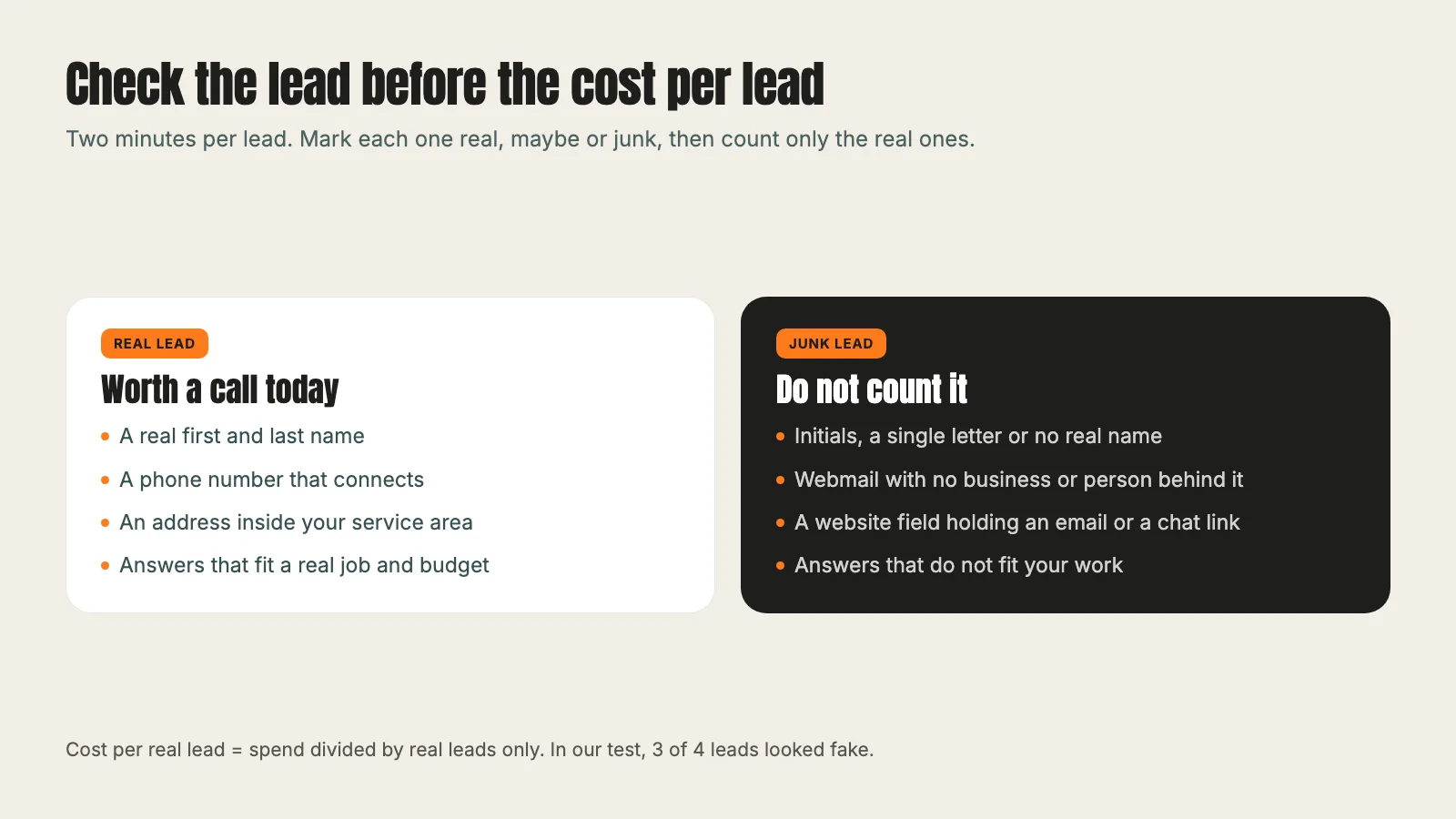
Before you judge any cost per lead, open the leads themselves. It takes a couple of minutes per lead. For a contractor running homeowner ads, check these:
- The name. Is it a real first and last name, or initials, a single letter or a business you do not recognize?
- The phone number. Does it have the right number of digits for your area? Call it. A disconnected or wrong number tells you more than any report.
- The email. Webmail is normal for homeowners. A string of random letters or an address that does not match the name is not.
- The address or ZIP code. Is it inside your service area? A lead you cannot serve is not a lead.
- The answers. If your form asks about the project, budget or timeline, do the answers fit a real job? A budget answer that is far below what your work costs is a signal, not a lead.
Log what you find next to each lead: real, maybe or junk. After a week, divide your spend by the real leads only. That number, cost per real lead, is the one worth comparing between ads and between trades. Our cost per lead calculator can help you work out the most you can afford to pay for one, from your own close rate and job value.
If you are a pool builder, the same check applies whether the lead came from Facebook or search. Our page on marketing for pool builders shows how we qualify leads in that trade.
Higher intent forms and when they are worth it
The default Instant Form is built for volume. Meta's page on instant form types describes the default "More volume" form as designed to generate a larger number of leads, and quick to submit on a phone.
The alternative is the "Higher intent" form. Meta says it adds two things: a line under the contact fields saying your business may follow up, and an extra review screen where people confirm their details before they submit. Meta also notes that a higher intent form only shows in the Facebook and Instagram feeds on mobile devices.
That review screen is the point. It adds a moment of friction that a person tapping by accident, or a bot filling forms, is less likely to get through. Expect fewer leads, and possibly a higher cost per lead, in return for leads you are more likely to reach.
When is it worth it? Our rule from this test: if junk keeps coming, switch the form. If most leads are real and the problem is simply volume, keep the default. Switching means building new ads on a new form, which starts a new learning phase, so do it once, on purpose, rather than flipping back and forth.
When to add money, hold or stop
Here is how we decided after our two days of data. It applies to any contractor campaign once you have checked your leads.
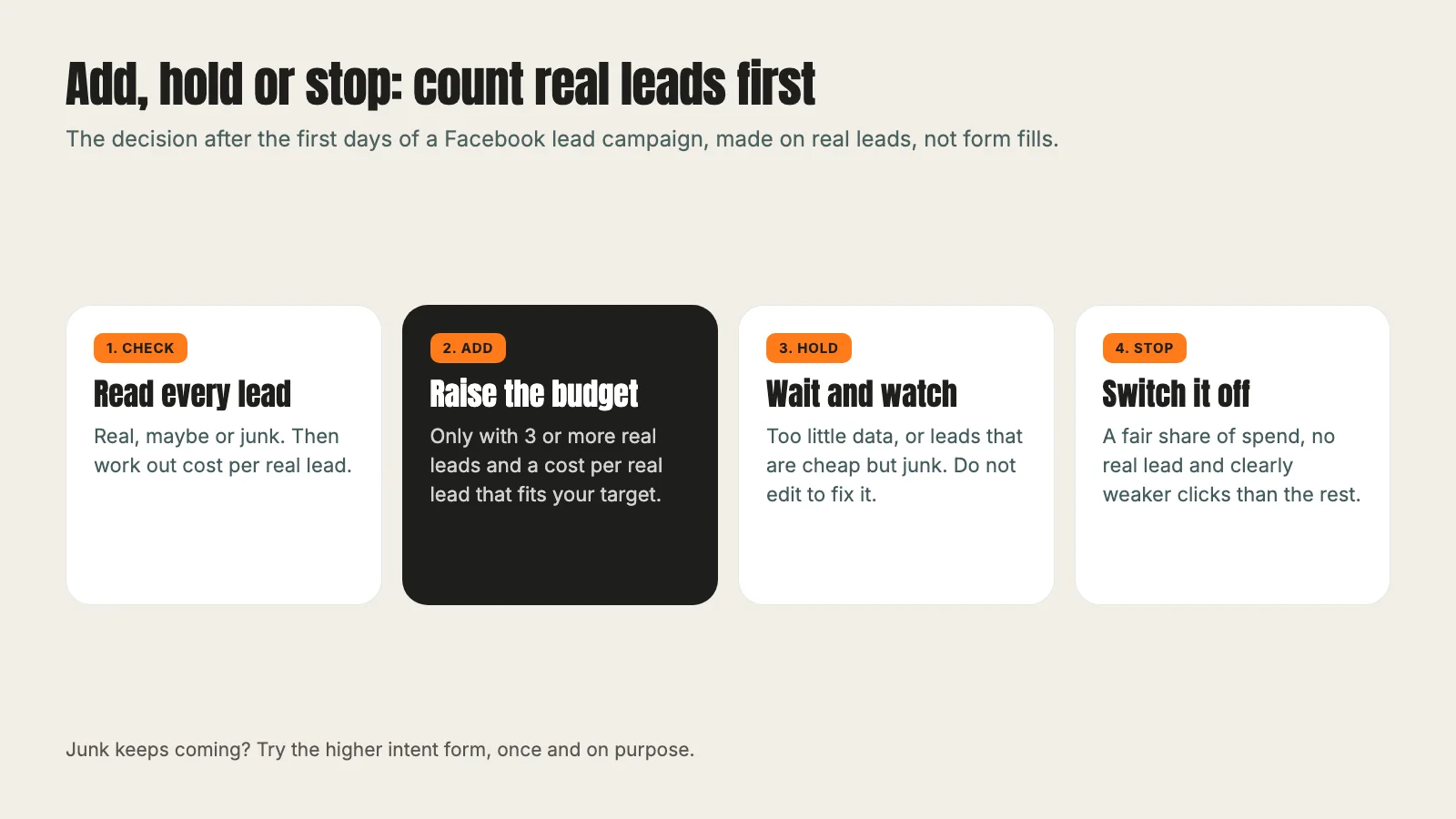
Add budget only when an ad set has at least 3 leads that look real and the cost per real lead is under your target. None of our five trades had 3 real leads, so no budget went up.
Hold when the data is thin, or when the leads are cheap but junk. That was most of our test. Pool builders had the cheapest leads and we held them, because there was no reason to buy more of the same leads. Restoration and windows and doors had no leads yet, but their click rates were in line with the other trades, so they had not failed either.
Stop when an ad set has had a fair share of spend, has no real lead and clearly weaker clicks than the rest. In our wider test, one campaign aimed at a different audience met that rule, with no leads at all and the weakest click rates, and it was the only one we proposed to stop.
Three habits make these calls cleaner:
- Give it time. Meta's learning phase guidance says an ad set usually leaves learning after about 50 results in the week after its last significant edit, and that performance during learning is less stable. Two days is enough to spot junk, not to crown a winner.
- Do not edit to fix it. Meta says editing an ad, ad set or campaign during learning resets it. Add a new ad instead.
- Change one thing at a time. If you switch the form and the creative on the same day, you will not know which one changed your lead quality.
The good news is that cheap leads and good leads are not opposites. A lower cost per lead and qualified leads can come together, on Meta in our concrete contractor case study and on Google in our outdoor living case study. What matters is counting the qualified leads, not only the form fills, before calling it a win.
If your campaigns also run on Google, the same habit of tracing a result back to its source before you change anything applies there. Our post on Google Ads AI Max shows what that looked like on a search account this week. And if you want help running Facebook ads for your trade, start with our Meta ads management service or our work for home services companies.
Frequently asked questions
Want this run for your business?
Tell us where to send it and we'll follow up with the strategies that fit your market.