B2B Lead Generation: Build a Demo Path Sales Can Use
David A · Founder, 1212 Agency
Published October 15, 2026

A submitted form is only one step. Build the path that gives sales a relevant request, the right booking destination and a clear next action.
Your ad generates a demo request. The form accepts it. Then the buyer reaches the wrong calendar, or sales cannot tell who should follow up. Marketing reports a lead while the useful conversation never starts.
That is why B2B lead generation needs to cover more than acquisition. A business-to-business buyer must understand the offer, give the information the team needs and reach a next step somebody owns. The form is one handoff inside that path.
We work on this path with B2B software companies. One recent form project made the distinction clear: simplifying the page still required testing business-email rules, required contact fields, the customer relationship management system and the booking destination. A passing form test did not establish fresh-lead routing, paid attribution or a conversion lift. Each needed its own evidence.
This guide helps you build and review a demo path sales can use. Start with the buyer and the request. Then connect channels, page, form, booking, ownership and measurement around that request.
Define the buyer and the kind of lead you need
Write down the companies you can serve, the problem you solve and who usually helps evaluate it. Include the conditions that make a conversation useful: business size, operating needs, territory, technical requirements or an active project. Choose criteria sales can explain and apply consistently.
Separate company fit from the person's role. A relevant company can send a request through a practitioner who influences the purchase but does not sign the agreement. A senior title can belong to a company you cannot serve. Neither title nor business email should stand in for the whole decision.
Next, define the request. A product demonstration, pricing discussion, technical consultation and trial are different offers. They ask for different levels of commitment and may need different follow-up. Do not call every download or newsletter subscriber a demo lead because that makes the acquisition report easier to fill.
Agree what happens when someone is interested but not ready. They may need product education, a specific answer or an optional future conversation. A useful earlier-stage path lets them progress without pretending they have requested sales contact. Keep its permissions and messages appropriate to what they actually chose.
Record these definitions before selecting channels. Our SaaS marketing work starts with the buyer's next useful step because a campaign cannot compensate for an offer the wrong audience does not need. A written definition also gives sales a fair basis for feedback later.
Choose channels around intent and the offer
Search can reach people already expressing a problem or looking for a solution. It asks you to connect the query to an offer that answers it. A query about fixing an operational issue and a query about logging into an existing account can mention the same category while carrying different intent.
LinkedIn gives marketers ways to reach professional audiences. Its advertising overview describes targeting around professional attributes and tools for collecting interest. Those capabilities do not guarantee buying intent. Use them to reach a relevant audience, then judge the requests and conversations you receive.
For a narrowly defined buying group, LinkedIn Ads management should connect audience selection, creative, offer and sales capacity. A campaign promising a detailed demo needs the team and booking availability to deliver it. An educational offer may need a different page and a different follow-up expectation.
Other paid or organic channels can introduce the problem before buyers search. Evaluate them against the job they perform. A discovery campaign may create interest that returns later through search or direct traffic. A demand-capture campaign may reach people already near a decision. Report the observed path without assigning every channel the same immediate demo target by default.
Start with a test you can interpret. Define the audience, offer, destination and outcome before adding several channels at once. If the requests are poor, you want to know whether the problem sits in targeting, promise, qualification or follow-up. A complicated launch can hide that distinction.
Keep exclusions aligned with the buyer's vocabulary too. Our negative keyword review guide explains how a word used in an irrelevant query can also appear in a useful integration search. The acquisition layer must leave relevant buyers eligible before the rest of the demo path can help them.
Make the landing page continue the ad's promise
Read the ad and landing page together. A person who clicks should immediately recognize the problem, product and next action the ad described. If the ad offers a demonstration but the page asks for a generic contact request, explain what the buyer will receive and what happens next.
Use the headline to name the buyer's job or outcome. Support it with specific product capabilities and evidence you are allowed to share. A list of features is useful when it explains how the product fits that job. It becomes noise when the buyer must translate every item into a reason to request a conversation.
Place the next action where it is easy to find. Tell visitors whether they will choose a time now, hear from a representative or receive trial instructions. That expectation belongs near the form as well as in the page copy. A surprise extra step can undermine an otherwise clear offer.
Use proof carefully. A real customer example needs permission and an accurate account of what happened. A sample card, illustrative dashboard or invented scenario must be recognizable as a sample. Avoid presenting a mockup as a customer result, especially when it carries numbers that look like performance evidence.
For a complex product, you do not have to explain everything on one page. You do need enough information for a relevant buyer to decide whether the next step is worth taking. Organize technical detail around the questions buyers ask before a demo, and keep the main request clear as the page grows.
Review the page on a phone, including the actual form and booking handoff. A responsive screenshot of the hero proves little about a keyboard covering a field, an error message below the fold or a calendar that is difficult to use. Test the path the visitor will follow, not just the layout you can see at first load.
Ask for information sales will actually use
For each field, write its purpose. Name helps the team address the person. Email supports the requested response. Company can help establish fit. Territory can determine the right calendar or representative. A phone number may be necessary for an agreed follow-up process. Each field should earn its place through that process.
A shorter form is not automatically a better form. Removing a required field may increase accepted submissions while making them harder to act on. Keeping every field is not automatically better either. The question is whether the information is necessary now, and whether the team uses it consistently after submission.
In the recent B2B video software project, the final decision retained required phone and regional fields. An earlier suggestion to make phone optional was superseded. The useful lesson is to test the final sales requirement, rather than report an obsolete form simplification as the result.
Tell people which fields are required before they attempt submission. Use clear labels and error messages that explain how to correct the entry. The web.dev form validation guide covers browser constraints and the need to validate data on the server as well. Client-side checks alone do not establish what the backend accepts.
Avoid asking for information you will not act on. A long dropdown full of company-size bands is not qualification if nobody uses the answer. Conversely, hiding a territory question may prevent the booking system from selecting the right team. Discuss those tradeoffs with sales before editing the page.
Consider how existing contacts will behave. A returning buyer may already have an owner, previous requests or an open opportunity. The form should preserve the context the team needs. A new submission should not silently erase valid information or reset a relationship just because it arrived through a different campaign.
Treat email validation and qualification as separate checks
An address can pass a format check without proving the mailbox exists. A mailbox can be reachable without proving the person belongs to your target company. A target-company contact can be real without having a buying need. Keep these layers separate in both the implementation and reporting.
If the offer requires a business email, state that rule plainly and test it with representative entries. Include approved business domains, consumer domains, malformed entries and cases the validation service cannot resolve. You need to know what visitors experience, not just what a provider's successful response looks like.
Decide how uncertainty is handled. A temporary validation error should have an intentional path: an understandable retry, a manual review or another approved fallback. An unknown result should not be silently turned into a verified mailbox. The choice depends on the business's risk tolerance and the offer being requested.
Use technical validation to protect the input process, then use business criteria to qualify the request. Sales may still need to establish use case, timing, requirements and fit. No email validator can answer those questions from an address alone.
The recent project included a repair to an API fallback before approved form submissions passed. That verified the tested acceptance path after the repair. It did not prove a reduction in spam or an improvement in sales quality. Those outcomes require observations from the requests and conversations that follow.
Verify accepted submission and the CRM record
The success message must reflect an accepted request. A button click, completed validation or animation is not enough. When the form sends data to the customer relationship management system, check that the system receives the intended fields and creates or updates the intended record.
Use a real form structure and accessible controls. The web.dev explanation of form submission describes the browser's submission behavior and the role of the form's action and method. Custom JavaScript can support the experience, but it should not make a visually successful interaction your only evidence of acceptance.
Check names, email, phone, company and routing fields on the resulting record. Compare the actual stored values with the submitted ones. A field with a similar display label may map to a different property. A dropdown value can be rejected or transformed even though the page looked correct.
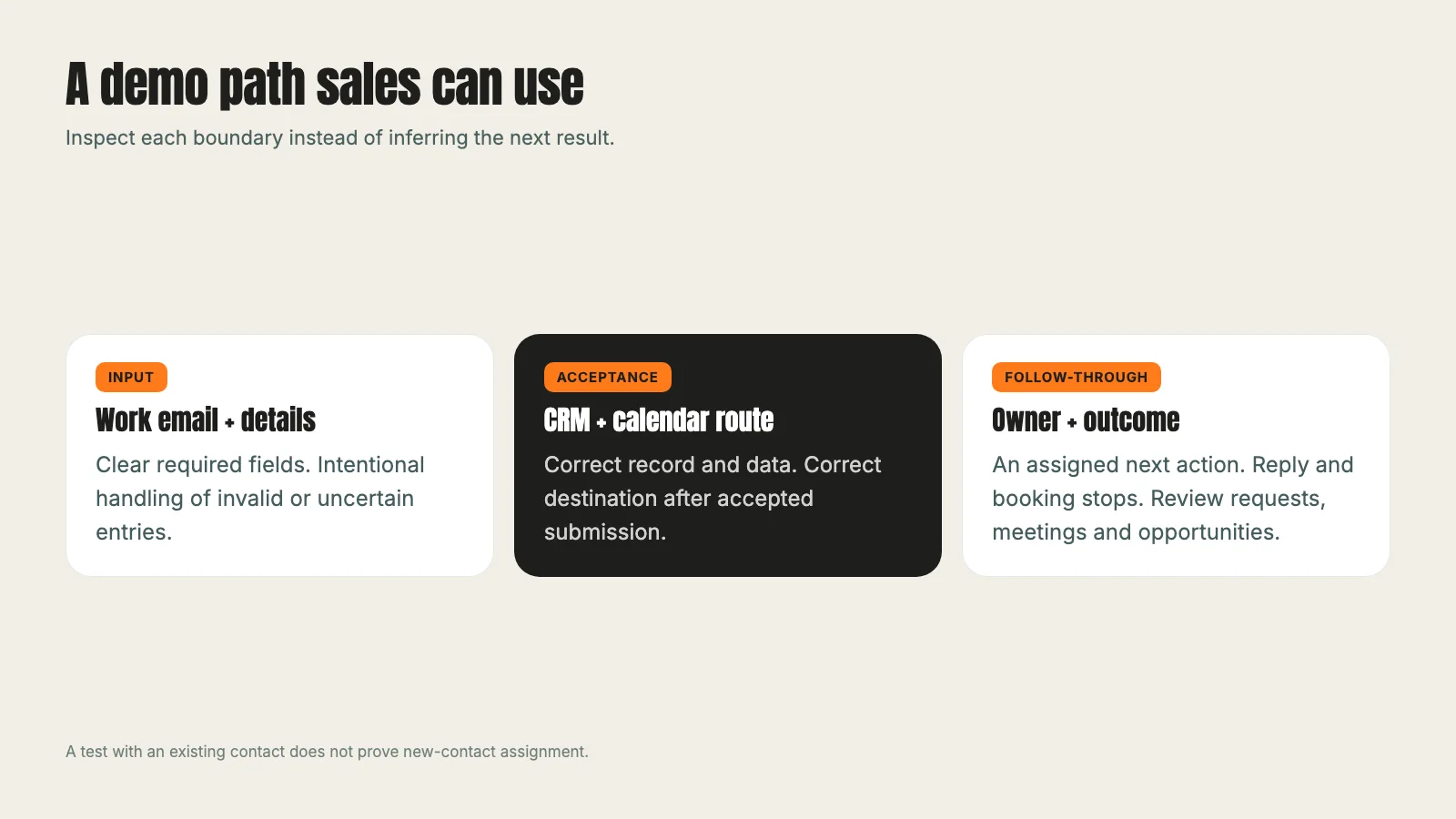
Test duplicate behavior deliberately. If you reuse an existing test contact, say so in the results. It can prove field updates and acceptance for that contact, but it does not independently prove how a new contact is assigned. A useful test report names the record condition as well as the page and form tested.
Watch for a partial success. The CRM may accept a request while an analytics event fails, or a booking redirect may happen while the CRM rejects the submission. Those are different failures with different owners. Record the result at each boundary so the next person knows where to investigate.
In our conversion tracking article, we cover the campaign data that must survive these handoffs. For a demo path, preserving attribution and storing usable contact details are both necessary checks. Neither should be inferred from the other.
Test the booking destination and the confirmed meeting
After accepted submission, verify that the visitor reaches the correct booking destination. The region, product or request type may determine which calendar is appropriate. Check the routing rules against the form fields, including the default behavior when a field is missing or unusual.
A calendar loading is a distinct result from a meeting being booked. A date appearing available is a distinct result from a confirmation reaching the visitor and sales team. Report the stage you tested accurately. If you only checked the calendar route, do not write that the full booking journey passed.
Review the calendar in the visitor's time zone and on a phone. Confirm that the expected team has usable availability and that the meeting description matches the offer. A routing rule can be technically correct while sending every relevant buyer to a team with no available slots.
If the person leaves without booking, define what happens to the accepted request. Is a representative assigned to follow up? Does the visitor receive the response they requested? Does the team distinguish unbooked requests from booked meetings? A submitted request should not disappear simply because the visitor did not complete the calendar step.
For testing, agree who may create a test appointment and how it will be labelled. Booking into a real representative's calendar has a consequence, so coordinate it. If no appointment is booked during the test, preserve that limitation instead of quietly counting the calendar view as a completed meeting.
That was the boundary in our recent project. The approved form submissions and the US calendar route passed; no appointment was booked. We reused an existing controlled contact, and the direct tests carried no fresh paid campaign parameters. The test established acceptance and calendar routing for the observed path. It left meeting confirmation, new-contact assignment and paid attribution as separate checks.
Give every request an owner and a next action
Agree who owns a new qualifying request, an existing account and a lead that needs manual review. Ownership rules should handle exceptions explicitly. Reassigning every incoming form to a round robin can disrupt an existing relationship; preserving every owner without review can leave requests unattended.
Define the next action in language a representative can follow. "Review the demo request and contact the buyer" is more useful when it includes the requested product, submission time, source and booking status. The owner should be able to act without reconstructing the journey across several systems.
Check that the person taking the action has the necessary access. A workflow can create a task while the assigned representative lacks access to the email sequence, sending inbox or calendar. The workflow's active status does not prove that its downstream work is usable.
Choose follow-up timing around the team's agreed service level and the buyer's request. Make reply and booking stops explicit before enabling repeated messages. A person who already replied or booked should not keep receiving reminders to take the step they completed.
For a lead outside the automated routing rules, preserve the useful context and put it into a clear review queue. A manual path is acceptable when somebody owns it and checks it. An unnamed exception bucket is simply another way for a request to be lost.
Test a new-contact case separately from an existing-contact case. Then inspect the actual owner and task, rather than relying only on a workflow preview. A preview is useful for checking logic. It is not a receipt that the production execution completed as intended.
Measure requests, meetings and opportunities separately
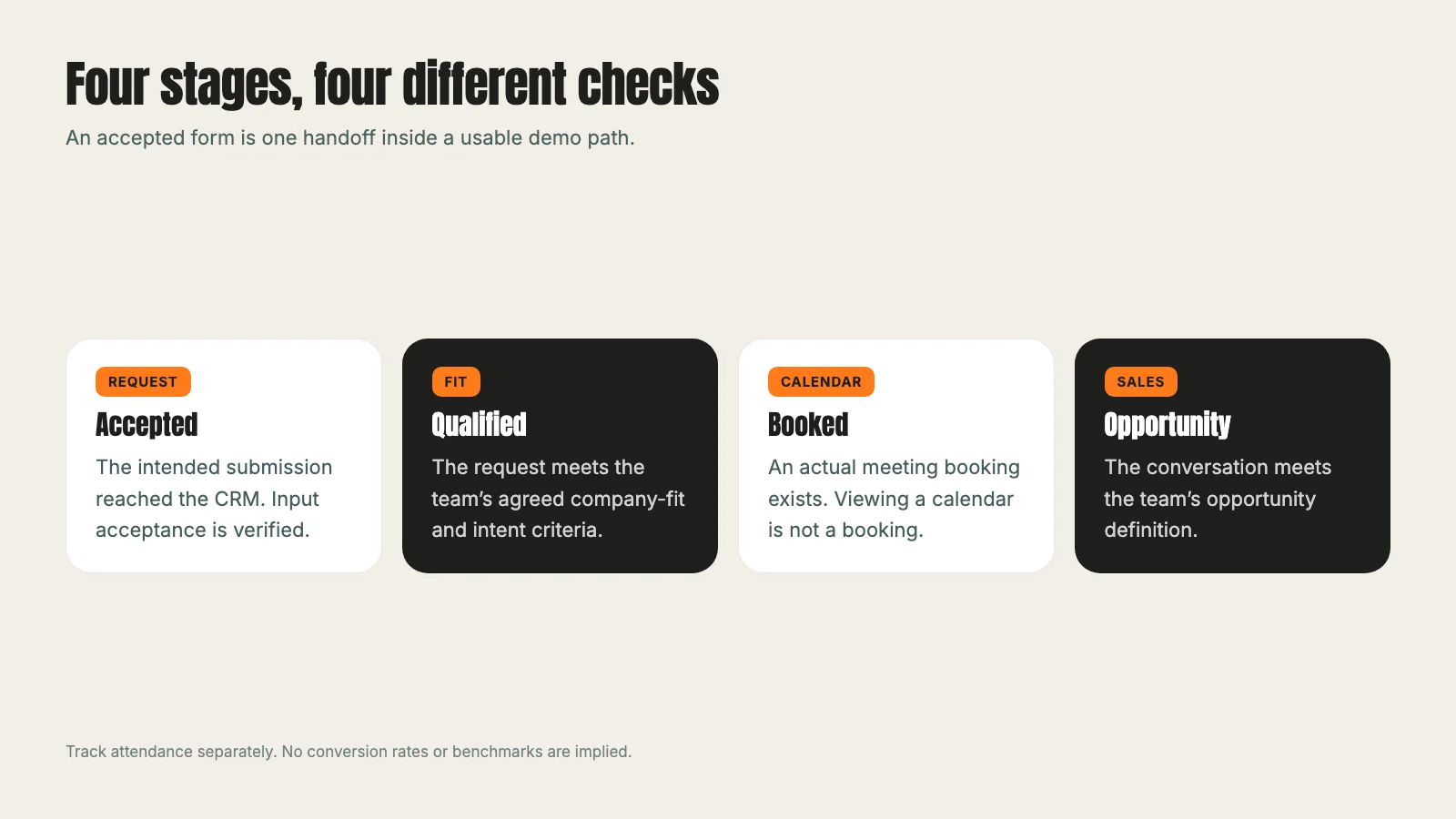
Create a shared definition for each stage. An accepted request means the intended submission reached the system. A qualified request meets the agreed fit and intent criteria. A booked meeting has an actual booking record. An attended meeting occurred. A qualified opportunity meets the team's sales-stage definition.
Choose the counting unit too. Requests, people, companies and opportunities are not interchangeable. The same person may submit twice or book again. One company may have several evaluators. A report should explain how duplicates are treated before you compare channels or costs.
Keep dates explicit. A campaign click, request, booking and opportunity may happen in different reporting periods. A weekly comparison of this week's spend with this week's opportunities can miss the delay between them. Use cohorts where practical, and label an early reading as incomplete while later outcomes are still developing.
Report cost against the stage it actually measures. Cost per submitted form should not be labelled cost per qualified lead unless you qualified those forms. Likewise, a platform's conversion total can include more than one action for the same person's journey. Review what the total counts before treating it as pipeline.
Paid attribution needs its own evidence. Direct form tests without fresh paid campaign parameters cannot prove that the live paid journey preserves source. A fake click identifier can test storage but cannot demonstrate credit for a genuine paid click. Distinguish those tests so your dashboard does not imply a result the experiment never measured.
Use sales feedback as data. Record why a request was unsuitable, why a meeting did not happen and why an opportunity did not progress. Standardize reasons enough to find patterns while retaining context. "Bad leads" is too broad to tell you whether to change the audience, offer, form or response.
Our museum technology case study and sports facilities software case study show examples of B2B programs. Their results belong to those engagements. Build your own measurement around the stages and evidence your team can observe.
Review the whole path before increasing acquisition
Use a small test matrix before launch: relevant new contact, relevant existing contact, invalid email, unsupported territory and submission failure. Add cases specific to your products and routing rules. Name the expected result before testing so a surprising outcome cannot be rationalized afterward.
For each case, record the page, form, input condition, acceptance result, CRM record, calendar route, owner and follow-up. Keep evidence of what actually happened. This makes retesting after a repair faster and stops the next person from mistaking an old preview for a current production result.
Then review real early requests. Compare their fit, booking status and sales response with the assumptions in the campaign brief. If acquisition is working but the booking path fails, fix that handoff. If booking works but unsuitable companies dominate, inspect targeting and promise before stripping fields from the form.
Change one interpretable part of the path at a time when practical. A new audience, headline, form policy and follow-up sequence launched together can leave you unable to explain a result. Keep enough structure in the experiment to learn which decision helped or hurt the useful outcome.
Before increasing budget, confirm that the team can handle the resulting conversations. The purpose of paid ads management is to support a usable commercial process. More accepted forms do not help when the calendar, assignment or follow-up cannot support them.
Your next step is straightforward: trace one relevant request from the ad's promise to the sales team's next action. Mark each boundary as verified, failed or untested. Fix the failed step and test the untested one before treating the whole path as complete.
Frequently asked questions
Want this run for your business?
Tell us where to send it and we'll follow up with the strategies that fit your market.